DRIFT
← All features
Tasks

The small stuff, handled

Half of what you capture isn’t an idea, it’s an errand wearing an idea’s clothes. Drift splits them automatically, so tasks get ticked off instead of cluttering your creative pipeline.

Plan
Free on every plan
Works on
iPhone, iPad, Mac, browser, plus the home screen widget
Find it in
The Tasks tab
Tasks
Send the invoice to Sam
task · today
Find the SSDs at the office
task · tomorrow
Born from “remind me to…”, no forms, no date pickers unless you want one.
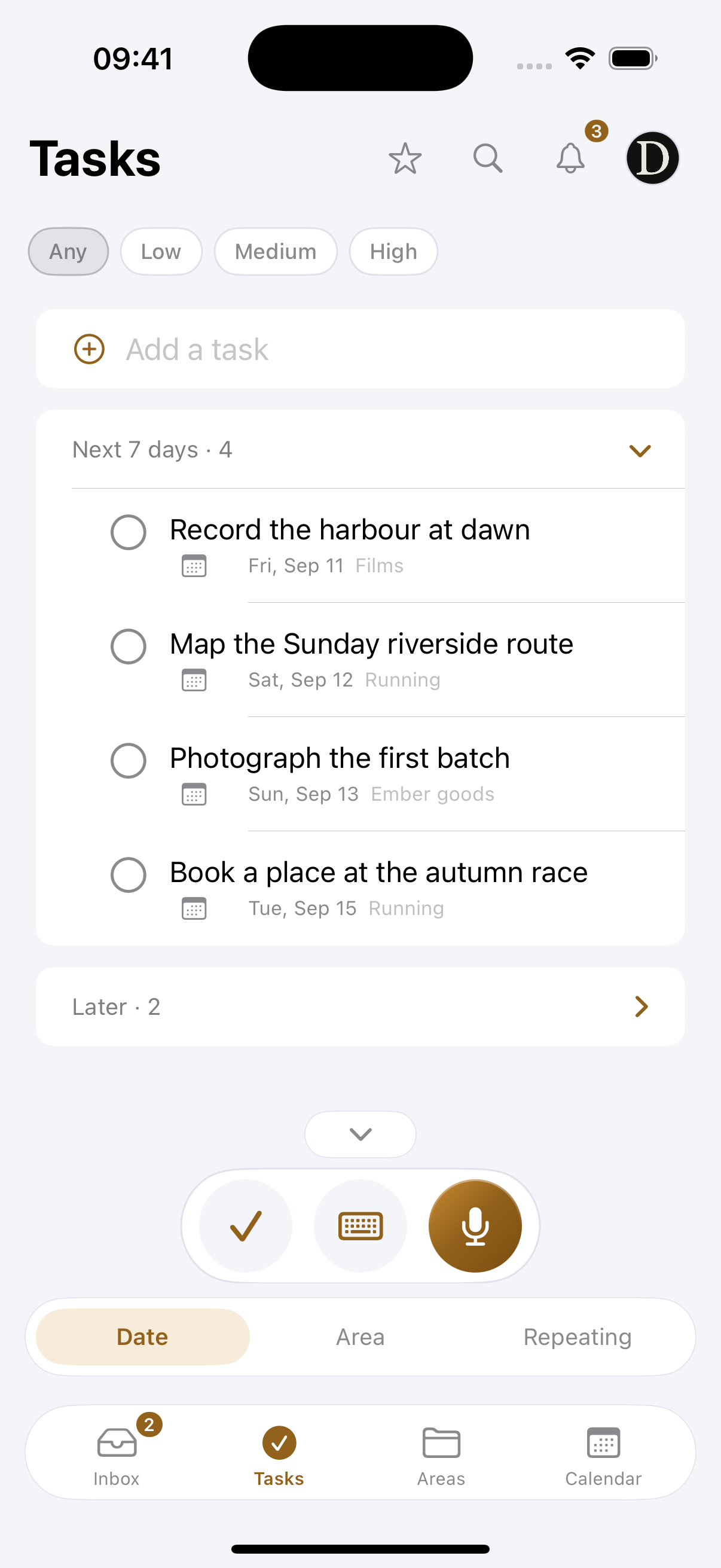
A reference mock-up, the app groups tasks by Overdue, Today, Upcoming and No date.
What you can do
Say “remind me to…”
That phrasing is the whole interface. It lands as a task, not as a note you will scroll past.
See it grouped by when
Overdue, Today, Upcoming and No date, with the area it came from on the card.
Get a nudge at the time
Give it a date and a time and a notification arrives, on your phone and on your Mac.
Tick it off, undo it. One tap completes it, with a short grace period in case that tap was an accident.
Tick it without opening Drift. The Tasks widget on your home screen. Tap the circle, it fills, the task clears.
Add one by hand. Not everything needs to be spoken. Quick-add lives at the top of the tab.
Keep the link and the place with it. A call at eleven is useless without the Meet link. Put the link and the location on the task and they travel with it, including into Apple Calendar.
Choose what is allowed to interrupt you. Reminders, the daily nudge, the weekly summary and the rest are separate switches, so you can keep the ones you want and silence the rest.
One nudge a day, at your hour. A single reminder of what is waiting, at a time you pick, and nothing else.
How it works
01
Just say it
“Remind me to send the invoice Monday.” That phrasing is the whole interface.
02
Find it in Tasks
Tasks live in their own tab, grouped by date and tagged with the area they came from, away from your ideas.
03
Tick it off
One tap completes it, from the app or from the home screen widget. Accidental tap? You have a moment to un-tick.
Why it works this way

Separation is the feature

To-dos mixed into an idea list make both worse: the errands add guilt, the ideas add noise. Splitting them at capture time keeps your inbox inspiring and your tasks actionable.

Reminders when they matter

Give a task a date and time and Drift nudges you when it’s due, on your phone or your desktop. There’s a once-a-day nudge for anything still waiting, too, on the free plan as well.

One tap from the home screen

The Tasks widget shows what is next without opening anything. Tapping the circle completes the task in Drift itself, so the tick you make on the home screen is the tick that counts.

Common questions
What makes something a task instead of an idea?
What you said. “Remind me to send the invoice” is an errand; “a video about the studio” is an idea. They are kept apart so your inbox stays inspiring and your list stays actionable.
Do reminders cost anything?
No. Timed reminders, notifications and the home screen widget are all on the free plan.
Where does a task with a time show up?
In Tasks under Today or Upcoming, and on the calendar at its hour, where you can drag it somewhere else.
Pairs with
Try it with your own ideas
Free to start, no credit card. Set up your areas in two minutes.