DRIFT
“Hey Siri, catch my drift”

Your best ideas arrive at the worst moments.
Catch them anyway.

Say it out loud. Drift writes it down, gives it a title, and suggests where it belongs. You tap once to keep it.

Download on theApp StoreDownload on theMac App Store
Free to start. No card.
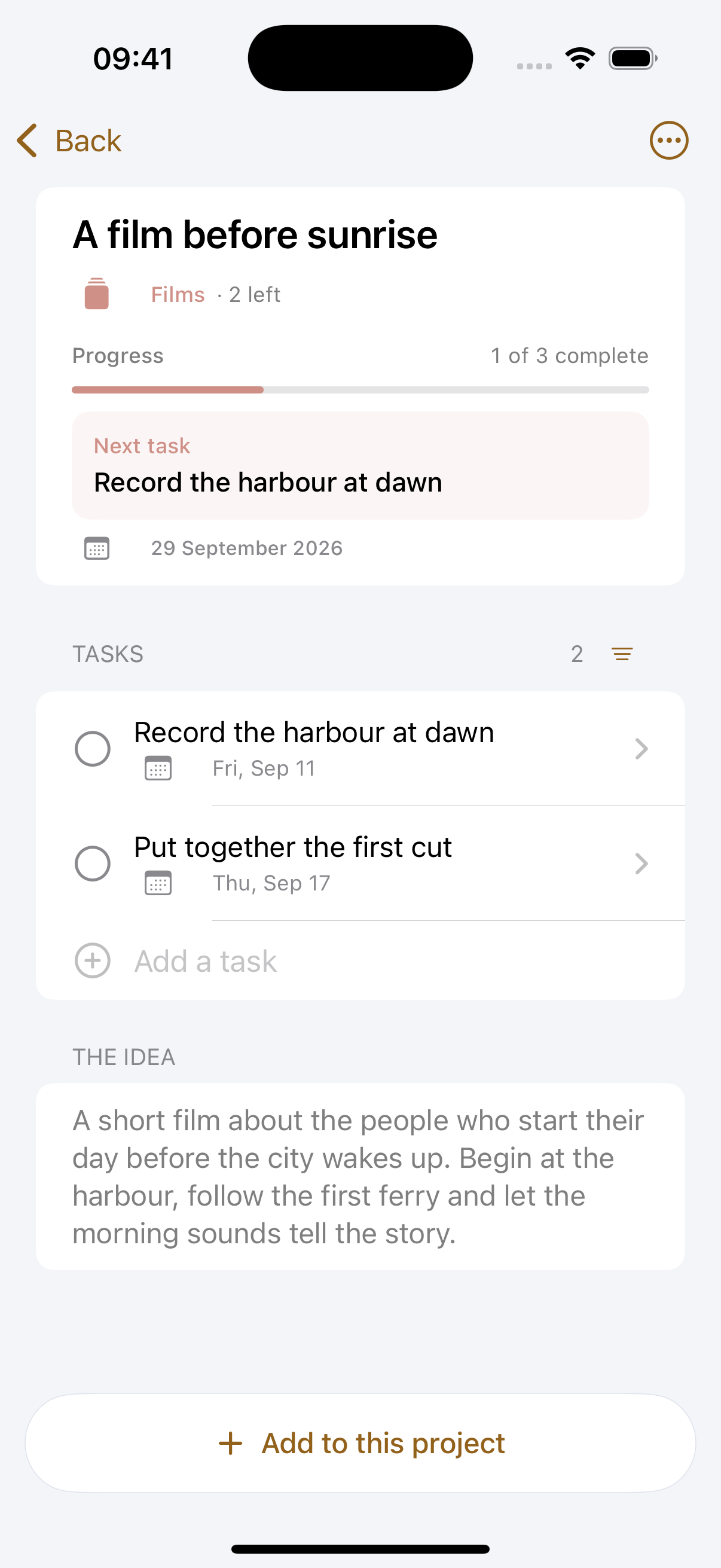
Drift on iPhone, showing twelve ideas filed into areasiPhone

This one is live. Go on.

Tap the microphone and watch an idea catch itself. Then sort the ones you caught, and open the one you kept to see what it turns into.

  • Speak once and it comes back written down and named
  • Deal them out and swipe, keep it or leave it for later
  • The one you kept opens into a project with a board
9:41
Inbox
To sortAll ideas
Nothing to sort
Everything you have caught is filed.
InboxTasksAreasCalendarSearch
Tap the microphone. You do not have to say anything.
Hi, I am Sjoerd. I built Drift because I kept losing the good ones.
I make films for a living, which means most of my ideas turn up while I am driving to a shoot or standing in a shower. I tried notes apps and I tried voice memos, and both of them became a pile I never opened again. So I made the thing I wanted. Two minutes on what it does and why it works this way.
Follow along as it is built →

From an idea to a project, wrapped

Follow the line. This is how Drift flows, in the order it actually happens.

It arrives
In the shower, obviously
Driving, walking, halfway up a ladder, soaking wet. Tap the microphone, or say “Hey Siri, catch my drift” and never touch the phone.
Seconds later
It is out of your head, and yours to sort
You said it once and it is already written down with a title on it. Nothing is filed until you say so. Drift deals them back one at a time so you can keep it, leave it for later, or let it go.
6 MINUTES AGO
The honest ups and downs of freelance life
Later4 to goKeep in Youtube
It settles
Filed where you will find it
It lands in Youtube with everything else you are making there, and Shorts gets its own sub-area because it grew big enough to deserve one. Leave anything untouched long enough and Drift brings it back to you, so nothing quietly rots at the bottom of a list.
Youtube5
Shorts1
The podcast3
Ember goods2
Home4
You start it
Turn it into a project
Most ideas stay ideas. Mark the ones worth it good or really good, so the list sorts itself into what is actually next. The ones you decide to make get a board with tasks and dates on it, and any task bigger than a line opens into a board of its own.
Write the scriptAug 6, 9:00
Film the talking heada sub-project, with its own board
Ask three freelancers for the bad year
You write it
The shots arrive while you write
You are writing the script and you can already see the shot. Press slash, mark it, keep writing. When you are done you can pull every shot out as one list, and the same for anything else you marked.
[HOOK] Everyone shows you the laptop on the beach. Nobody shows you March.
[SHOT] Desk at 7am, one lamp, invoice open on the second screen.
Talk to camera. Do not make it sound like advice.
[VO] The freedom is real. So is the month nobody pays you.
You ship it
Read it straight to camera
An ordinary teleprompter when you want one, at whatever speed suits you. Turn on voice follow and it moves with your voice instead, so you can stop, say something that was not in the script, and carry on where you left off.
Everyone shows you the laptop on the beach.
Nobody shows you March.
The freedom is real. So is the month
Voice follow
Free covers all of this for 10 captures a week. See what it costs →

Drift is not just where ideas land.
It is where you write them.

A full-screen writer for things that get spoken out loud. Mark the shots, the voiceover and the music inside the words, and the marks stay part of the text.

## The honest ups and downs of freelance life
[HOOK] Everyone shows you the laptop on the beach. Nobody shows you March.
[SHOT] Desk at 7am, one lamp, the invoice open on the second screen.
Talk to camera. Do not make it sound like advice.
[VO] The freedom is real. So is the month nobody pays you, and the Sunday you work because Tuesday went nowhere.
Ask three freelancers for their worst year
ShotB-rollVoiceoverProduction noteMusic and sound
A working reference, not the whole editor. The real one is full screen, with focus mode, word suggestions, find and replace, voice mode, and the callout set you define yourself.
Writing mode is free. Tidying a rambling draft in one tap is Pro. See what it costs →
Press / and keep typing
A menu of your callouts appears. Type the first letter or the whole word, press Return, and carry on. Your hands never leave the keys.
Or speak the whole thing
Voice mode types where the cursor is, punctuation and all, and a pause never ends it. It runs on the device, so a train with no signal is fine.
Callouts you invent yourself
Shot and voiceover if you film. Hook and offer if you sell. Guest and ad if you podcast. Define your own and they appear on every device.
Then pull the list out
Copy the spoken script with every production note stripped, or pull just the callouts and walk onto set with the shot list already made.

Read it to camera without leaving the app

The script you just wrote, scrolling at the speed you set. Turn on voice follow and it listens instead: stop to think and the page stops with you, pick the line back up and it moves again.

  • Production notes hidden, only the words you say
  • No exporting, no second app
Everyone shows you the laptop on the beach. Nobody shows you March. So here is the honest version of going freelance, the one nobody films. The freedom is real, and so is the month nobody pays you. So is the Sunday you work because Tuesday went nowhere. I have done this for eight years and I would not go back, but I would have liked somebody to tell me the rest of it before I started. So that is what this is.
The controls from the real teleprompter. It runs full screen from your own script, and voice follow is Pro.
The teleprompter is free to scroll yourself. Voice follow is Pro. See what it costs →

The budget adds itself up

Shot lists, call sheets, gear lists, budgets. A table lives inside the project it belongs to, and a column of numbers totals itself at the foot, in euros or in anything else you count.

  • Group rows into scenes or days, each band its own colour
  • Total, count or average any column you choose
  • Out as a PDF to send, or a CSV for a spreadsheet
BudgetPDFCSV
Shoot day
1.018total
A reference, simplified. The real table has columns you name yourself, groups, and column totals you choose.

Catch it on a walk, open it on the big screen

Native on iPhone, iPad, Mac and Apple Watch. It all syncs, so the idea you spoke into your pocket is on your desk when you sit down.

Hey Siri, catch my drift
From a locked phone, mid-walk, hands full. Nothing to set up.
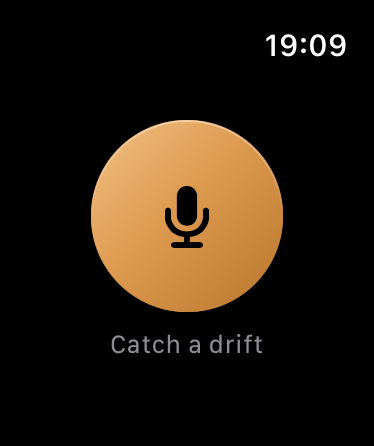
One tap on the Watch
It records, you talk, and the idea is on your phone later. The phone can stay at home.
Widgets on the home screen
Capture and today's tasks, one glance away. Tick a task without opening the app.
No signal needed
Speech becomes text on the device. A capture waits and sends itself when you are back.
Timed tasks speak up
Give a task a time and it arrives as a notification, on every device you own.
Two months free, twice
Share your link. A friend who subscribes gets two months free, and so do you.

Fair questions, straight answers

The next good one is already on its way.

Be ready for it. Set up your areas in two minutes and catch the first one today.