DRIFT
← All features
Boards & sub-projects

A minimalist project manager

Most ideas need a home. Some need a plan. Drift boards give every idea exactly as much structure as it earns, from a single task to a full sub-project, without ever feeling like project-management homework.

Plan
Free on every plan
Works on
iPhone, iPad, Mac, browser
Find it in
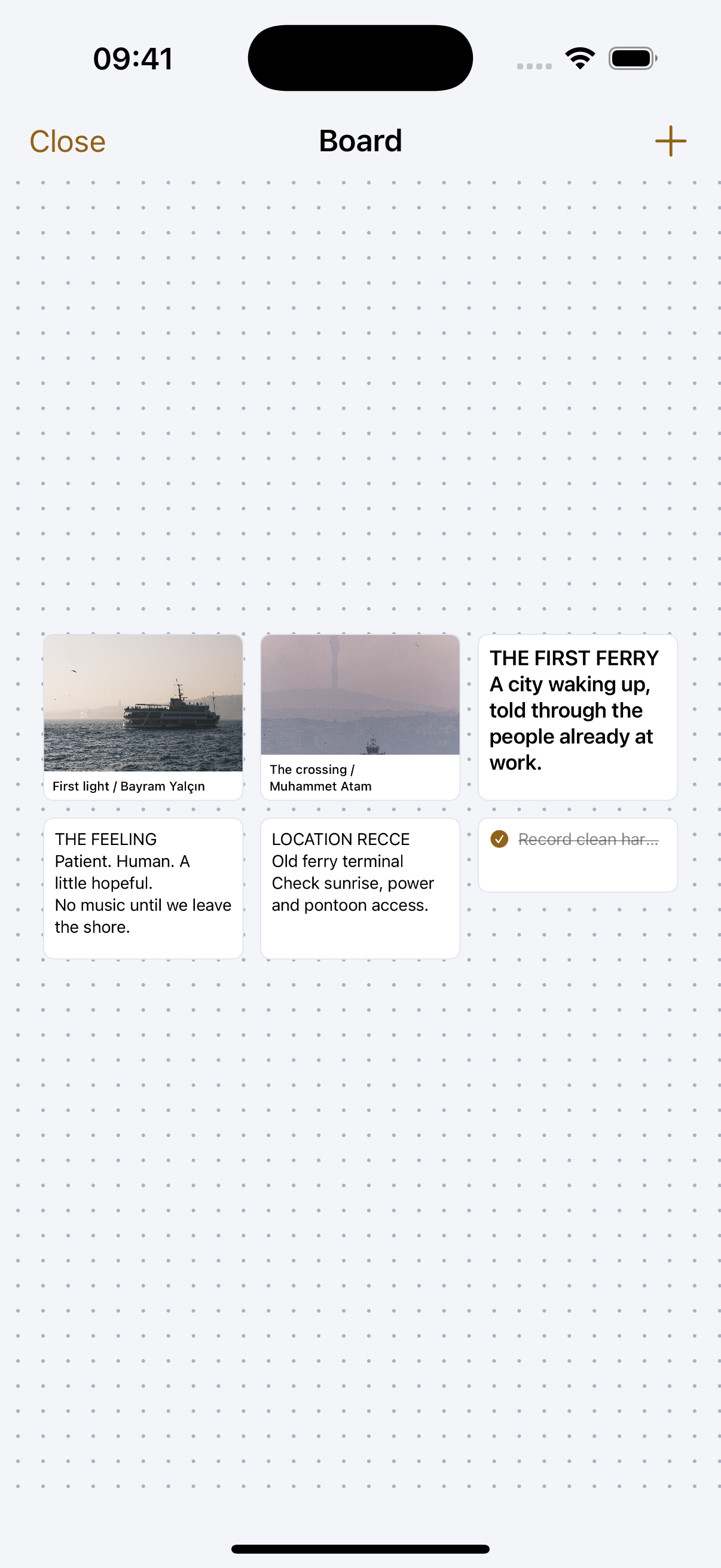
Open any idea
Board
To do
Write the hook
Lock the thumbnail
Doing
Film the intro shot
sub-project ›
Tasks start simple. Open one and turn it into a sub-project with its own board when it grows.
A reference mock-up, real boards drag, reorder, and open into full sub-projects.
What you can do
Start with nothing
A fresh idea has no board, no columns, no ceremony. Add one task and the board appears.
Add a task in one line
Type it, press Enter, it is on the board. No form, no required fields.
Drag it along
To do, Doing, Done. That is the whole default workflow, and for most work it is enough.
Promote a task to a project. When “film the intro” turns out to be a shoot, open it and make it a sub-project with its own board and script.
Track the idea itself. Idea, Developing, Ready, Shipped. The pipeline is for the idea; the columns are for its tasks.
Give a task a time. It shows up on the calendar and sends you a notification when it is due.
Rate them, and filter by it. Mark an idea potential, good or really good, and a project or task one to three exclamation marks. Then narrow any list to just that band.
Reorder the board. Move any block up or down, including the built-in ones, so the page reads in the order the work actually happens.
Nothing is really deleted. Anything you remove goes to Trash and can be restored for thirty days.
How it works
01
Start flat
A fresh idea has no board, no columns, no ceremony. Add one task and the board appears.
02
Grow on demand
When a task turns out to be a whole thing, “film the intro” becomes a shoot, open it and turn it into a sub-project in one tap.
03
Ship it
Move the idea along its pipeline as it matures. Shipped feels as good as it sounds.
Why it works this way

Structure only where you ask for it

The default board is To do / Doing / Done and nothing else. No custom fields, no sprints, no settings pages. When something needs more room, you do not reach for a template, you turn the task into a sub-project and it gets a board of its own. Depth arrives one level at a time, only where the work actually earned it.

Sub-projects inherit everything

A sub-project lives inside its parent’s area, shows up on the parent’s board, and still has its own script, notes and board. Depth when you need it, one level, never a maze.

Made for solo speed

Everything is one tap or one drag. The board is a thinking surface, not a reporting tool.

Common questions
How deep can this nest?
One level, on purpose. A sub-project has its own board, notes and script, and it also appears on its parent’s board so nothing disappears down a hole.
Is this a real project manager?
A deliberately small one. If you need custom fields, dependencies and burndown charts, this is not that. If you need the plan to live where the idea already is, it is exactly that.
What happens to a task with a date on it?
It appears in Tasks grouped by when it is due, on the calendar at its time, and it sends you a notification.
Pairs with
Try it with your own ideas
Free to start, no credit card. Set up your areas in two minutes.