DRIFT
← All features
Tables & budgets

The budget adds itself up

A production runs on lists with numbers in them: budgets, shot lists, call sheets, gear. Drift puts the table inside the project it belongs to, and the arithmetic is the table’s job, not yours.

Plan
Free on every plan
Works on
iPhone, iPad and Mac
Find it in
Any project, from the + menu on its table
BudgetPDFCSV
Shoot day
1.018total
A reference, simplified. The real table has columns you name yourself, groups, and column totals you choose.
What you can do
Columns you name yourself
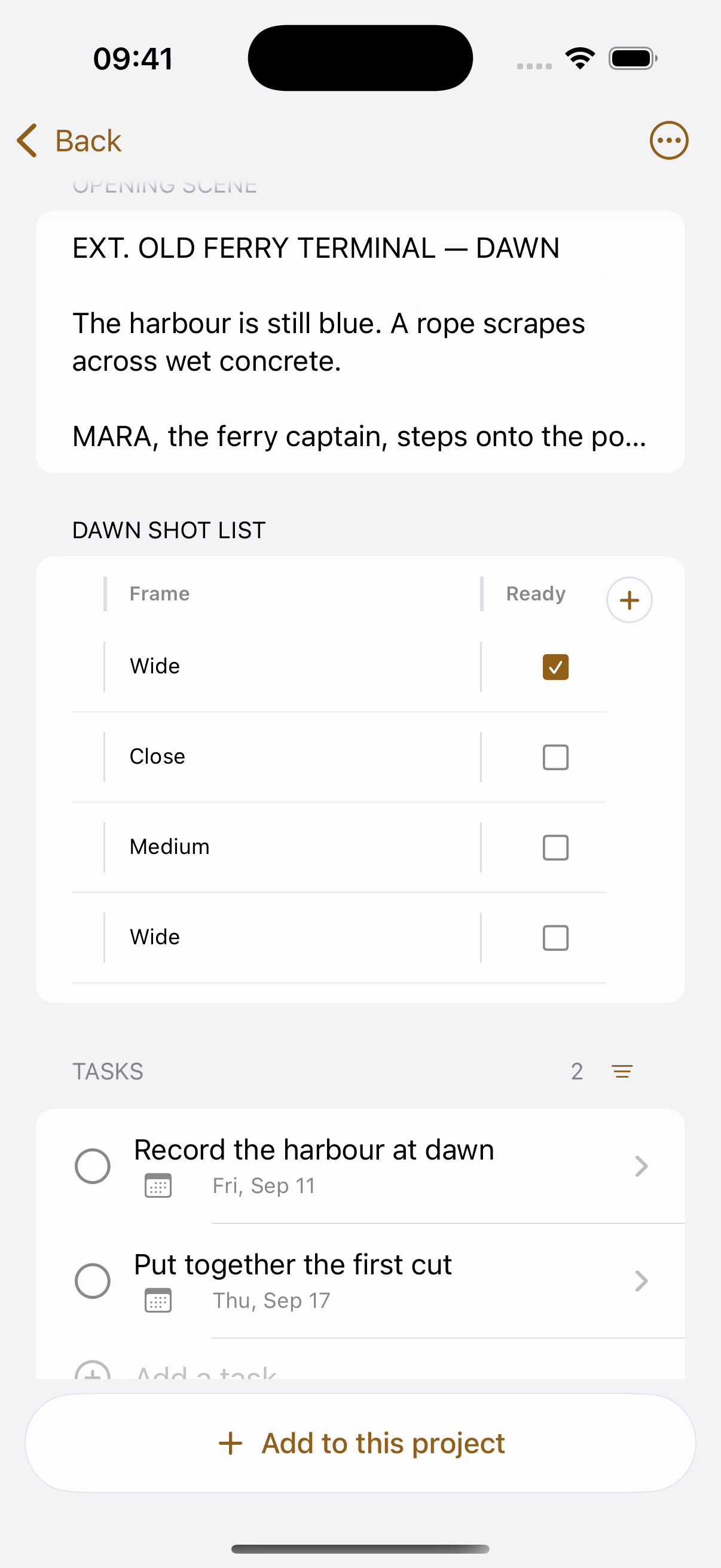
Text, numbers, checkboxes. A budget wants Item and Cost; a shot list wants Shot, Size and Status. Same table, your words.
A foot that does arithmetic
Total, count or average any column, and say what it is counted in: euros, kilos, minutes, anything.
Groups that read like a schedule
Band the rows into scenes or days. Each band wears its own colour, and numbering restarts under it, shot 3 of the kitchen, not shot 47 of the day.
Out as a PDF or a CSV. A PDF to send to a producer, paginated properly. A CSV for the person who insists on a spreadsheet, raw numbers, nothing pre-formatted.
Drag what needs moving. Rows reorder, columns resize, and a group band dragged down takes its place in the day.
Full screen when it earns it. A table with forty rows opens out to the whole window on iPad and Mac.
How it works
01
Add a table to the project
It arrives with a text column and a number column, which is already a budget.
02
Put the numbers in
Name the columns, band the rows into days, and choose what the number column should do at the foot.
03
Send it out
PDF for people, CSV for spreadsheets. The file carries the table’s own name, so three tables in one project export as three files anyone can tell apart.
Why it works this way

It lives where the work lives

A budget in a spreadsheet app is a second place to keep in sync with the first. Here the shot list sits under the script it belongs to, in the same project, sharing its fate: share the project and the table comes along, finish the project and the budget is archived with it.

Totals you can point at

The foot of a column is computed from the rows above it, always, so the number a producer reads is never a stale paste. Set it once, Total in €, and every edit keeps it true.

Common questions
Is this a spreadsheet?
Deliberately not. There are no formulas to write and no cells to reference, just columns that know whether they hold words or numbers, and a foot that can total, count or average. If your budget needs pivot tables, export the CSV and open it where those live.
Does it cost anything?
No. Tables, groups, totals and both exports are on the free plan.
Can my editor see it?
Yes, tables travel with the project. Share the project view-only and they can read the budget without being able to change a number.
Pairs with
Try it with your own ideas
Free to start, no credit card. Set up your areas in two minutes.