DRIFT
← All features
Collaboration

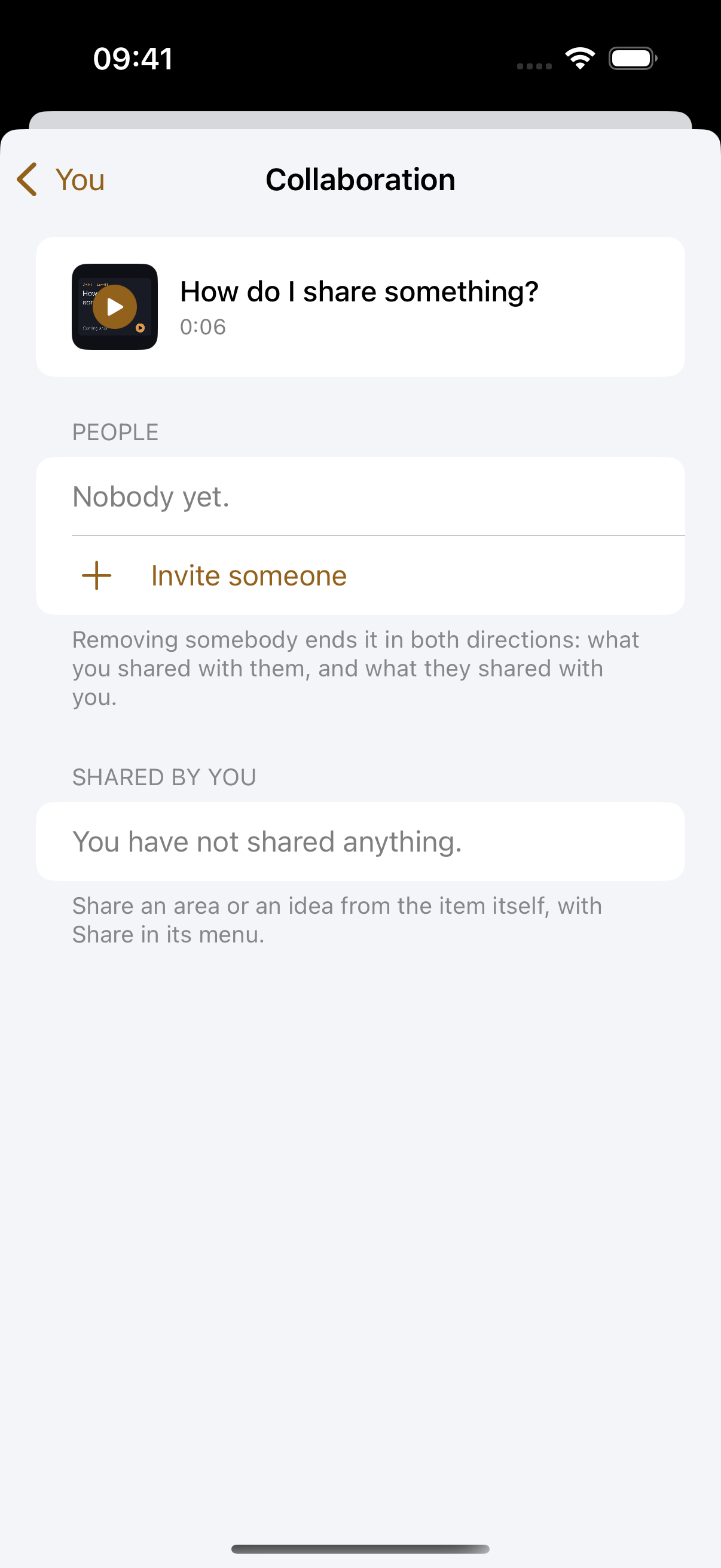
Share an area, keep control

Creative work has collaborators, an editor, a co-founder, a client. Drift shares exactly one thing at a time: an area or a single project, with one person, at the permission you choose. No workspaces to migrate, no all-or-nothing access.

Plan
Pro · up to 5 people on Studio
Works on
Everywhere you use Drift
Find it in
The People tab, or Share on any area
Collaborators
sam@studio.com
Has access to 1 area
YouTube
View-only: Sam sees everything in YouTube, boards, scripts, sub-projects, and can change nothing.
A reference mock-up, the app manages access per person from one panel.
What you can do
Invite by email
They get a clean invite and a free account. Nothing for them to buy.
Share one area at a time
Per area, per person. An editor can see the channel without seeing the business.
Choose view or edit
Set it per share, and change your mind later without re-inviting anyone.
Work the same boards. The same tasks and the same script, marked “Shared with you” on their side.
Share both ways. Once you are connected, they can open their own areas to you with the same controls.
Revoke in two taps. Access ends immediately, and only you can grant or remove it.
Or share a single idea. Not just areas. One idea or one project, with one person, when that is all you meant to send.
How it works
01
Invite once
Add their email under People. When they accept, you’re connected both ways.
02
Toggle an area
Open their name, flip on the areas they should see, and pick view or edit.
03
Work together
They see exactly what you shared, nothing else, marked “Shared with you” on their side.
Why it works this way

View-only really means view-only

A viewer can open everything in the area, boards, cards, scripts, sub-projects, and change nothing. Enforced at the database, not just hidden buttons.

Control stays with the owner

Only you add or remove collaborators and change permissions. Revoking takes two taps and cuts access immediately.

Built for small teams

This is deliberately not enterprise sharing. It’s you and the two or three people who touch your work.

Common questions
Does the person I invite have to pay?
No. They get a free Drift account, and they only ever see what you shared with them.
Can a viewer break something?
No. View-only is enforced in the database, not by hiding buttons, so there is no edit path to find.
How many people can I share with?
One collaborator on Pro, up to five on Studio. Free accounts can receive a share but not create one.
Pairs with
Try it with your own ideas
Free to start, no credit card. Set up your areas in two minutes.