A voice note is more personal than a typed one. It has your voice, your half-finished thoughts and whatever was happening in the background. It is fair to ask where that recording goes.
Where your voice usually goes
Many apps that turn speech into text send the recording to a server, turn it into words there and send the words back. That is not automatically bad, but it means a copy of your voice has left your phone, and you are trusting someone else to delete it.
Keeping speech to text on your iPhone
- Recent iPhones can turn speech into text on the device itself, for many languages. Look in Settings, General, Keyboard, Dictation to see which ones.
- Speech handled on the device also works with no signal, which is useful in a tunnel, on a plane or in the hills.
- Check each app in Settings, Privacy and Security, Speech Recognition and Microphone, and remove the ones you do not use.
- Read what the app says about audio. "We do not keep recordings" is the sentence to look for.
Keep the words. Let the recording go.
What Drift does with your voice
Drift never stores your raw audio. In the Apple app, speech recognition runs on your device using Apple's built-in engine, and only the resulting text leaves your phone. That text is what gets a title and a place in your inbox.
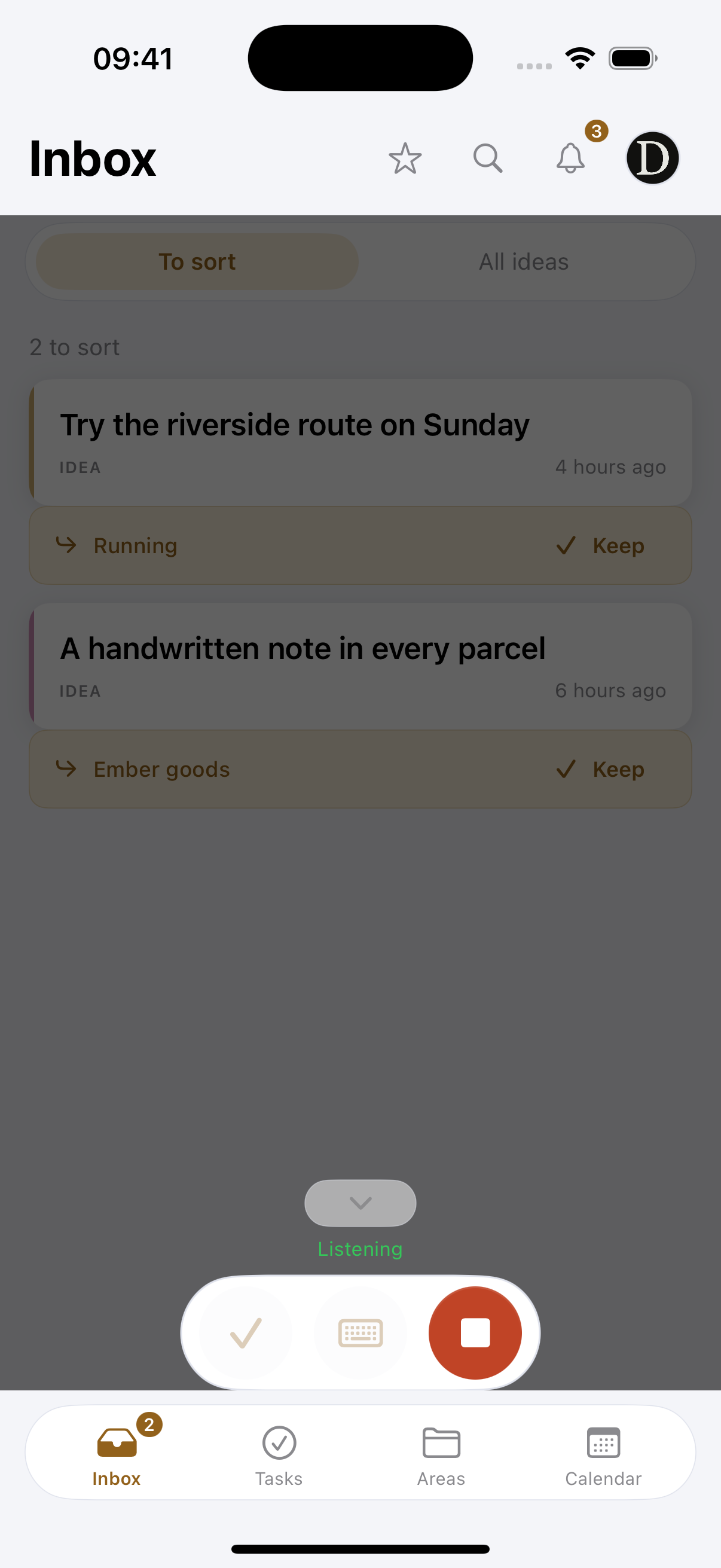
So there is no folder of recordings anywhere, on your phone or on a server. If you want an idea gone, you delete the text and that is all there was.
A quick check for any voice app
- Does it say where speech is turned into text?
- Does it keep the audio, and can you turn that off?
- Can you delete everything, and does that include backups?