If your head runs several tabs at once, you know the pattern. A thought arrives, then another, then a reminder about something from yesterday. By the time you have opened a notes app, picked a folder and found the keyboard, the first thought is gone and the second one is fading.
This is not a willpower problem. Most apps ask you to organize at the exact moment you have the least room for it.
What a good brain dump needs
- One action to start. No folders, no tags, no choosing where it goes.
- Speaking, not typing, so the thought leaves your head at the speed it arrived.
- Sorting that happens later, in small pieces, when you have the energy for it.
- Gentle reminders that the dump exists, so it does not turn into a second mess.
- A way to find things again by what you said, not where you filed it.
The two-step habit
Split the brain dump into two moments that never overlap. Dumping is fast and messy and happens whenever the thought shows up. Sorting is slow and calm and happens once a day, ideally at the same time, for no more than ten minutes.
During sorting, give each item one decision only: do it, schedule it, keep it for later, or let it go. Not every thought deserves a project, and deleting is allowed.
Dump fast. Sort slow. Never both at once.
How Drift fits this
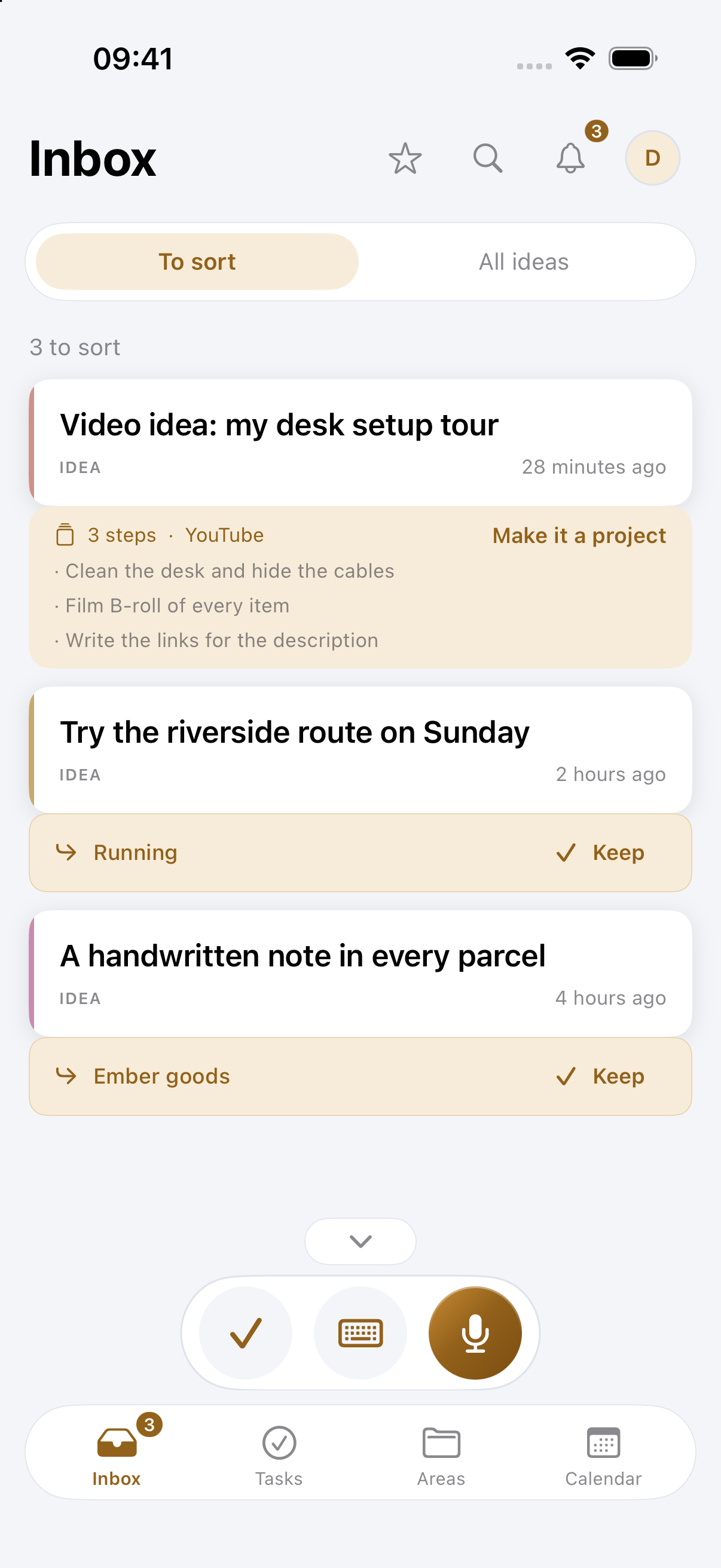
Drift is a voice-first inbox for your thoughts. Tap once and talk, or use Siri or your Apple Watch when your phone is out of reach. Drift writes down what you said, gives it a title and pulls out any tasks hiding inside, so a two-minute ramble turns into something you can read in five seconds.
Sorting is one capture at a time, with a suggestion already made. You can keep it, move it or leave it for later, and a daily nudge reminds you the inbox is there without nagging. Areas keep work, home and hobbies apart, and search finds anything by the words you used.
On a Mac, the focus timer beside the notch helps with the other half: picking one thing from the list and staying with it for a while.
Start small
For one week, say every stray thought into Drift and sort for ten minutes each evening. You will likely find that most of what felt urgent fits on one short list.