Todoist is one of the best to-do list apps there is. But creative work rarely starts with a to-do. It starts with a thought in the shower, a line of dialogue on a walk, a shot you see on the way home. You do not know the tasks yet. You just know you do not want to lose it.
Drift is built for that moment. It is a simple app for creative people with a lot of thoughts: catch the idea first, and let the tasks come out of it when it is ready.
The short answer
- Choose Todoist if you already know what needs doing and want a fast task list on every platform, with labels, filters and priorities.
- Choose Drift if most of what you capture is half-formed ideas, and you want one calm place where those ideas become projects with tasks, writing and boards.
How each one starts
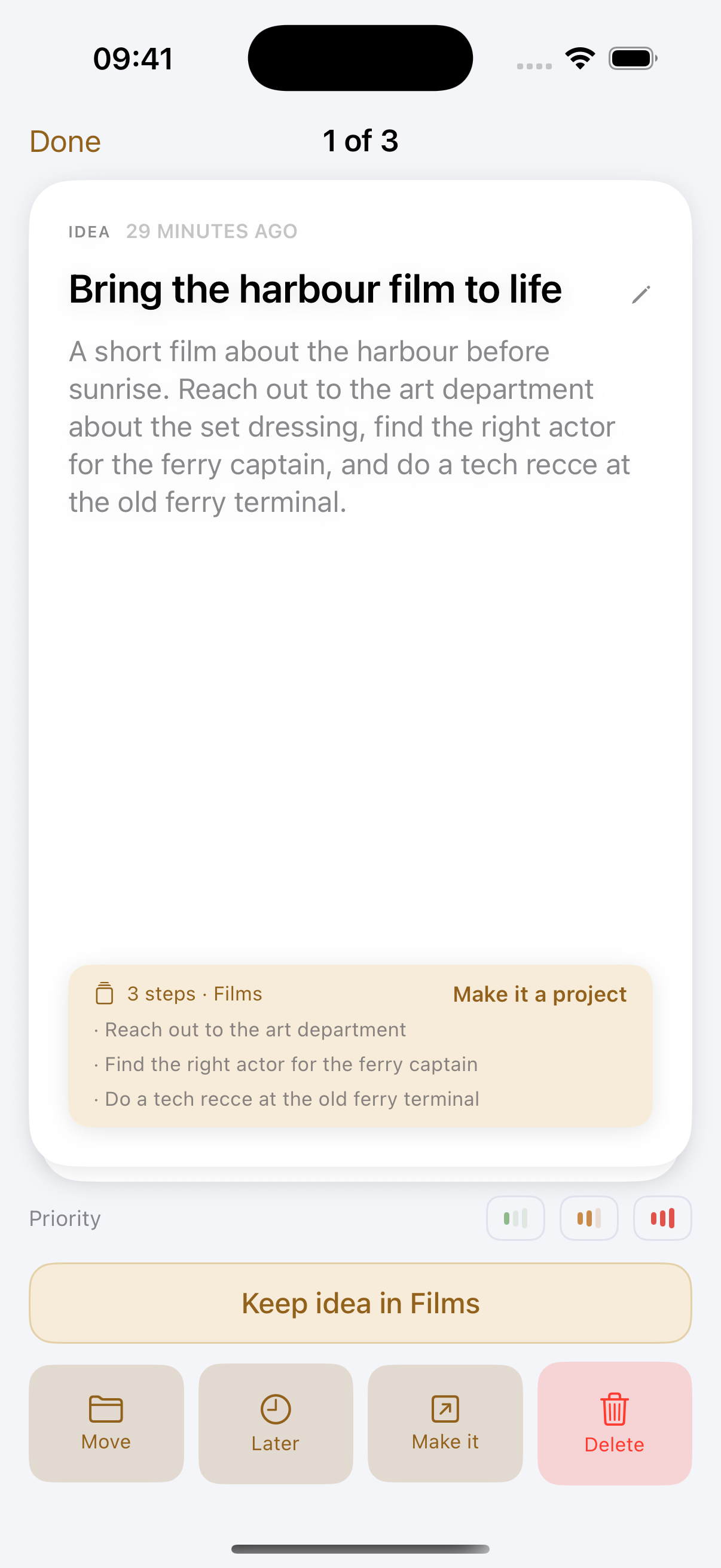
Todoist expects a task: a verb and, ideally, a date. Drift expects a thought. You say "next video could be a desk setup tour, and I need to order a second light before I film it", and Drift writes it down, titles it, suggests an area, and pulls out the light as a separate task. When a thought holds several steps, Drift asks if it should become a project with those steps as its tasks.
Less to manage
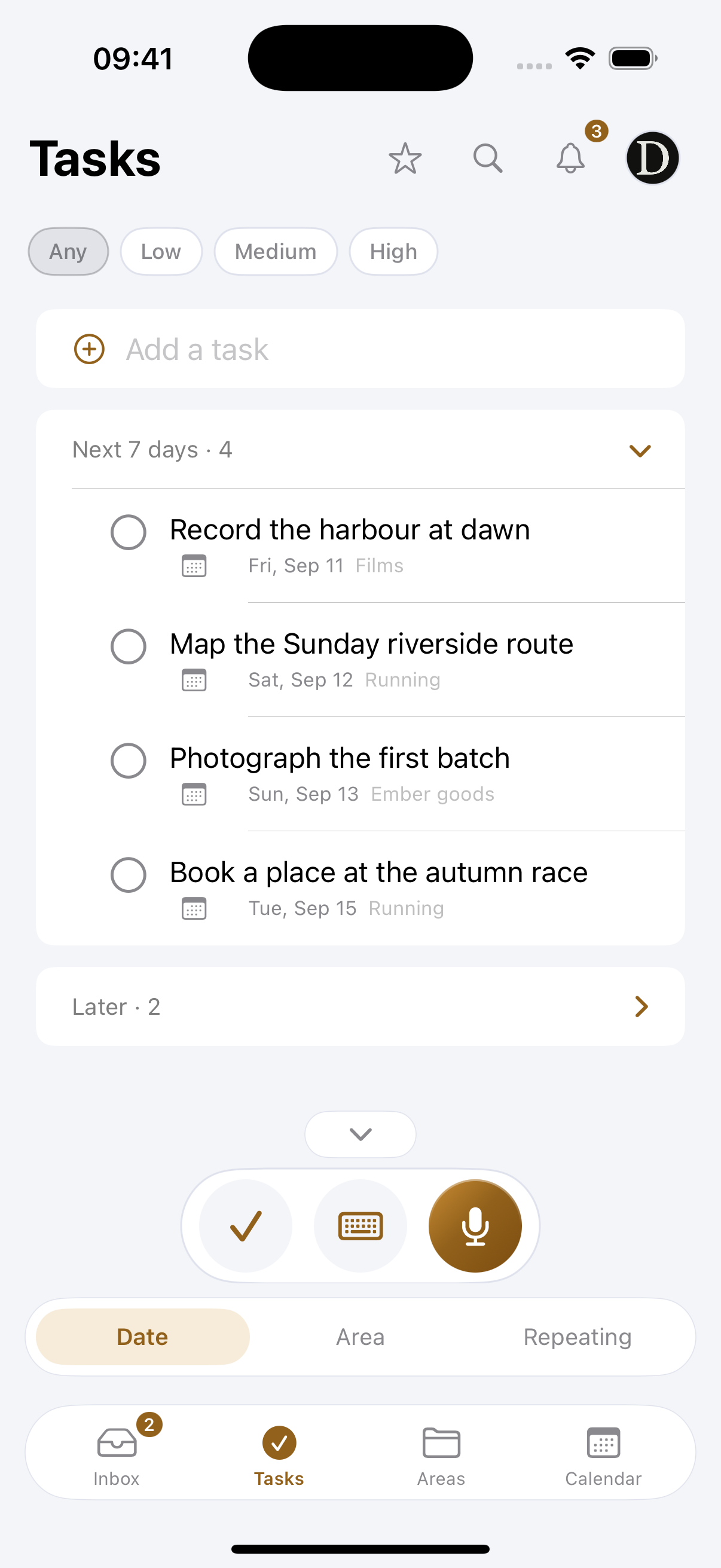
Todoist rewards people who like to organise: priorities, labels, filters, sections and saved views. Drift keeps it small on purpose. Today is split into Morning, Afternoon and Evening, you pick today's 3, and that is your day. Repeating tasks, reminders, a calendar and Apple Reminders sync are there when you need them, and out of the way when you do not.
Everything in one package
A Drift project holds more than tasks: full-screen writing, a free-form board with images and notes, tables for shot lists or budgets, and a teleprompter for your script. With Todoist you would add a notes app, a writing app and a teleprompter app next to it.
Where Todoist is the better pick
- You need Windows, Android or the web.
- Your work is mostly clear, repeatable tasks shared with a team.
- You want deep filtering and reporting on hundreds of tasks.
Price
Todoist has a free plan and a paid plan. Drift has a small free plan and one Pro subscription that covers iPhone, iPad and Mac.
Plenty of people keep Todoist for work tasks and use Drift as the place where ideas land first. Sometimes less is more.
Drift at a glance
- iPhone, iPad and Mac, with capture on Apple Watch. Android, Windows and the web are planned for later.
- The app comes in 10 languages, and you choose the language you speak in separately: read Drift in Dutch and talk in English, or the other way round.
- Capturing works offline, on a plane or without signal, and syncs when you are back online.
- Search across everything you have caught, and add images to your projects and boards.
- Tasks sync with Apple Reminders both ways: tick a reminder and the task is done, add one to a Drift list and it becomes a task. Timed tasks go to Apple Calendar, and your calendar events show in Drift.
- Export your writing as Markdown, and tables as PDF or CSV.
- Share an area with someone, view-only or with editing, as part of Pro.
- Your account and ideas are stored in the EU, in Ireland.
- Pro starts with a 14-day free trial.
Full transparency
Drift is built and maintained by one person: Sjoerd, a filmmaker in Haarlem. The parts that make Drift feel easy, turning your voice into clean text, giving every idea a title and suggesting where it belongs, run on paid servers, so every capture costs real money. That is why Drift cannot be free forever.
There is a free plan so you can try it properly, but it is limited on purpose: 10 captures a week and up to 6 areas. Pro is €4.99 a month, or €47.90 a year, which works out at €3.99 a month. Pro starts with a 14-day free trial, so you can try everything before you pay. Low enough to be easy, and enough to keep Drift going and getting better.
And one promise that costs nothing: your ideas and writing are never used to train models.
Drift is on the App Store for iPhone, iPad and Mac, with capture on Apple Watch. Start with the free plan and see if it fits the way you think.