Most people have the same folder on their phone: dozens of voice memos called "New Recording 47". Each one holds a good thought and at least one thing you meant to do. Almost none of them get played back, because listening to yourself ramble for four minutes to find one task is nobody’s idea of a good time.
Why voice memos never become tasks
A voice memo is a recording, not a decision. It has no title, no next step and no place it belongs. To act on it you have to listen, write down what matters, then copy that into a to-do app. That is three steps after the fact, and the moment for doing them never comes.
- Audio cannot be skimmed. You have to sit through it at the speed you talked.
- One memo often holds several things: an idea, a reminder and a question for someone.
- The memo app and the to-do app do not know about each other.
A simple manual system
If you want to keep using plain voice memos, give them one fixed moment a day. Five minutes at the end of the afternoon works well.
- Turn on transcripts so you can read a memo instead of listening to it.
- For each memo, write down only the verbs: call, buy, send, book, draft.
- Put each verb into your to-do list with a day attached, then delete the memo.
- Anything that is an idea rather than a task goes in one notes page, not back in the memo pile.
It works, but it depends on you doing it every day. Miss three days and you are back to the graveyard.
The trick is not to capture less. It is to never let a recording be the last step.
Let the capture do the sorting
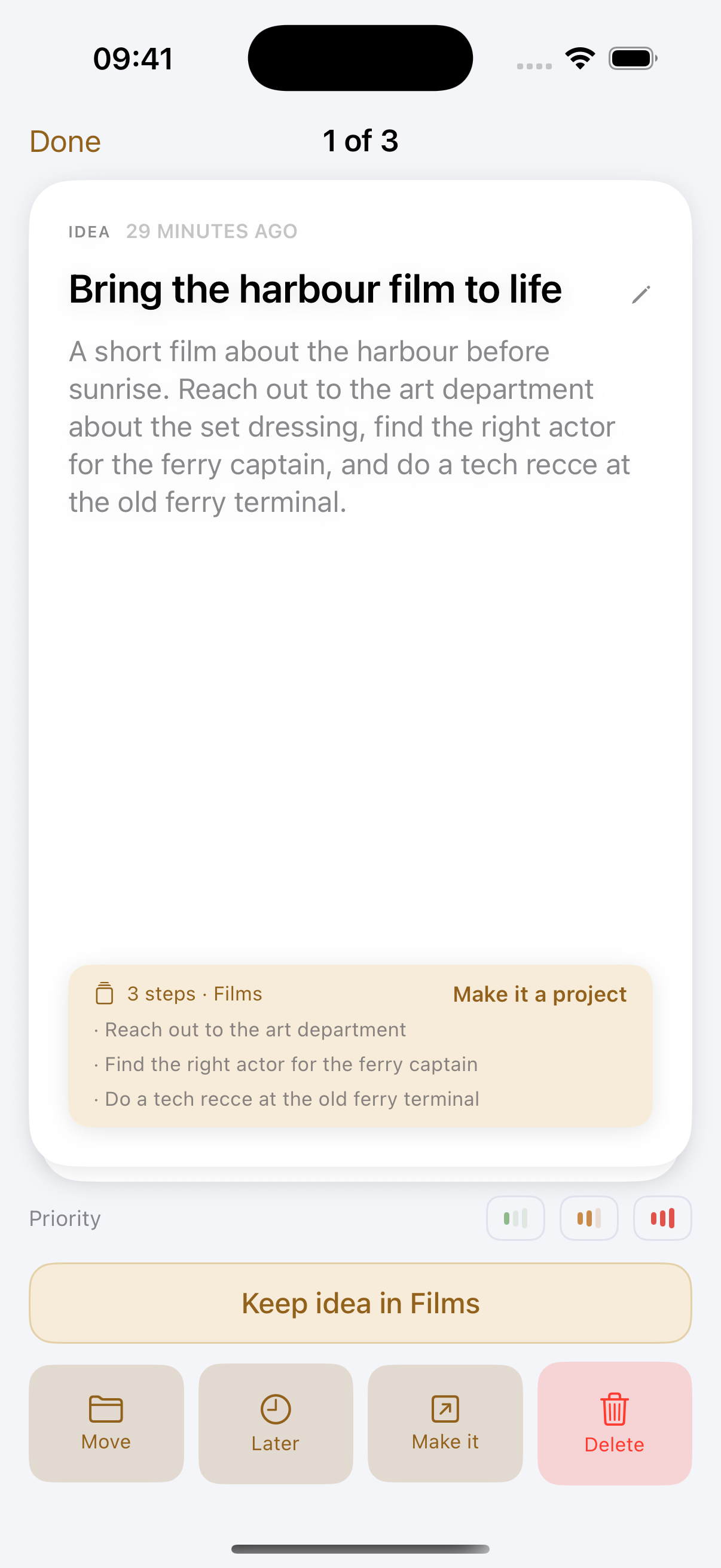
Drift was built for exactly this gap. You tap once and talk, or say "Hey Siri, catch my drift" with your hands full. Drift writes down what you said on your device, cleans up the rambling and gives it a title. If you mentioned things to do, it pulls them out as separate tasks you can tick off.
You then review one capture at a time: keep the suggested place, move it somewhere else, or leave it for later. Tasks can get a date, show up on the calendar and repeat if they come back every week. If you already live in Apple Reminders, Drift syncs with it, so the tasks show up where you are used to looking.
Try it on your own pile
Next time a thought comes with a "should do" attached, say it into Drift instead of the memo app. Speak naturally, mention the tasks in passing, and see what ends up in your list. No listening back required.