Notion can do almost anything, and that is exactly why many creative people leave it: building the system becomes the project, and the ideas wait. If you want something simpler that still holds your ideas and your work, here are the alternatives worth trying, and who each one suits.
When it comes to creativity, sometimes less is more.
1. Drift: simple, and everything in one place
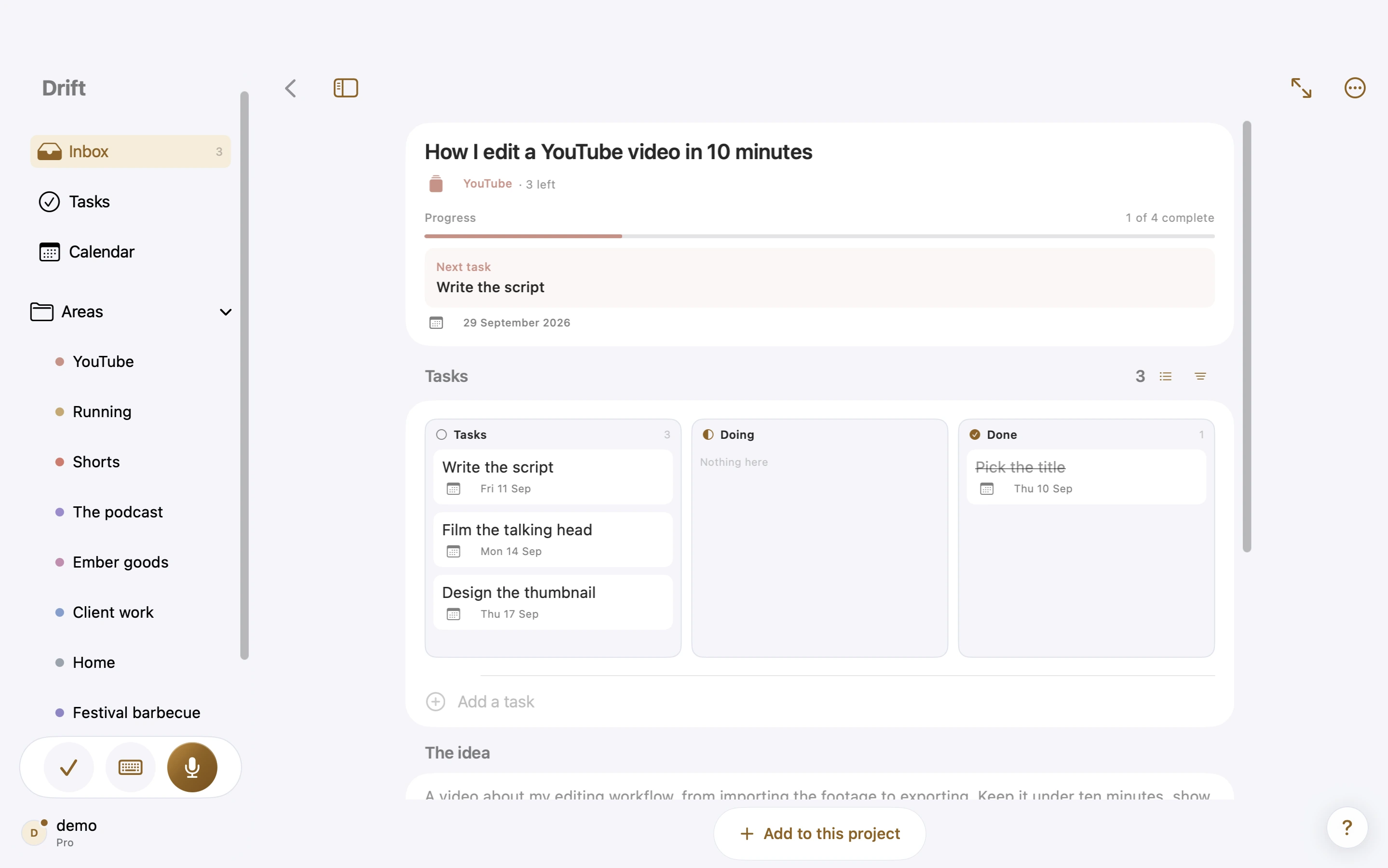
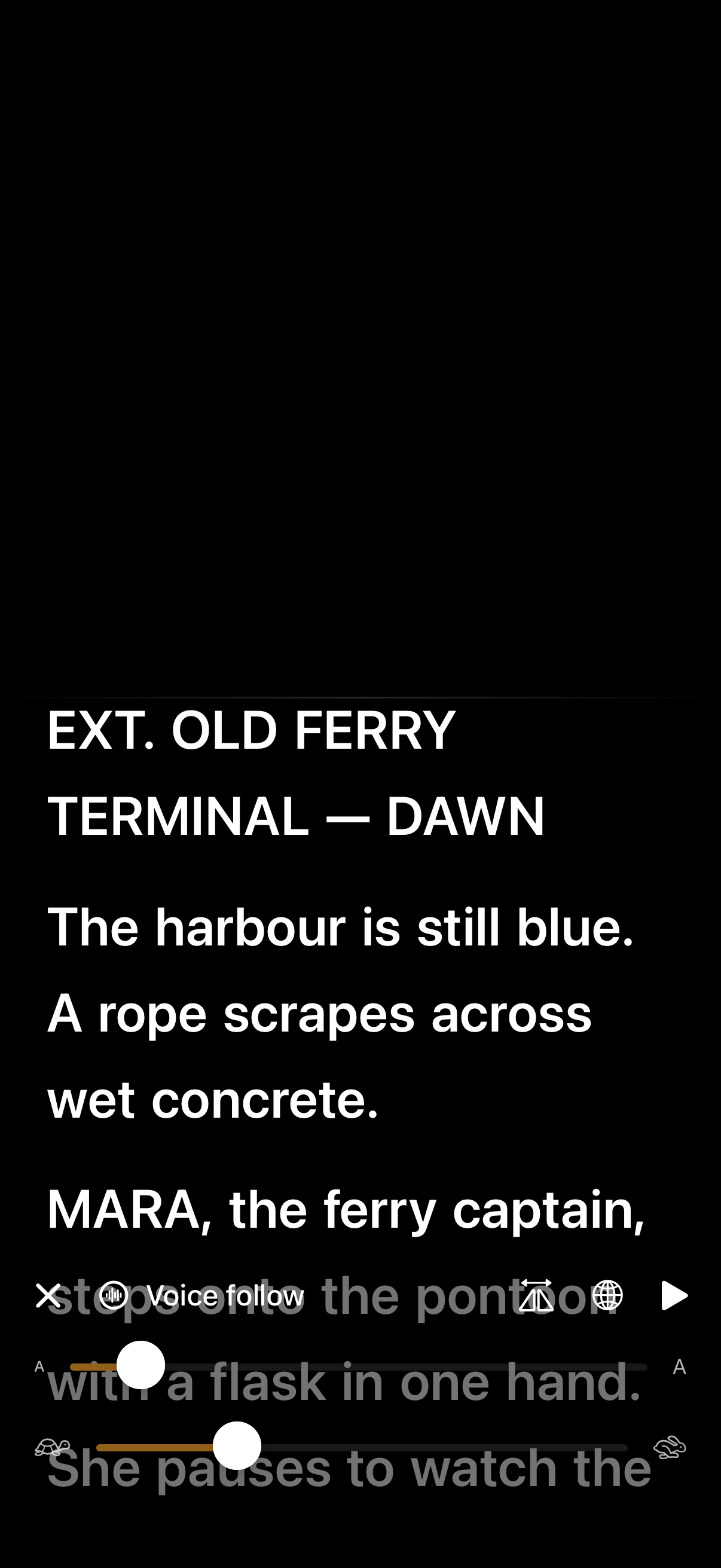
Drift is made for creative people with a lot of thoughts who want everything in one package without being overwhelmed. Talk from your iPhone, Apple Watch, a widget or Siri, and Drift writes it down, titles it and suggests where it belongs. Good ideas become projects with tasks, scripts, boards and tables, and a teleprompter reads the script back to camera. Nothing to set up. iPhone, iPad and Mac. Free to start. Full disclosure: this is our app.
2. Obsidian: for building a personal knowledge base
Obsidian stores notes as plain Markdown files on your device and links them together. It is free for personal use and endlessly extendable with plugins. Like Notion, it rewards people who enjoy building a system. Runs everywhere, including Windows, Linux and Android.
3. Apple Notes: for free and simple
Already on your devices and very quick for typed notes and checklists. It does not sort or plan for you, so it works best as a reference drawer rather than a home for projects.
4. Bear: for beautiful writing
A Markdown writing app for Apple devices with tags and a lovely editor. Great for drafting and journaling, lighter on tasks and planning.
5. Craft: for good-looking documents
Craft makes structured, well-designed documents and is closest to Notion's pages without the database work. Strong on Apple devices, with web and Windows access.
6. Things 3: for a calm task list
If what you used Notion for was mostly to-dos, Things 3 is a polished, one-time-purchase task manager for Apple devices.
How to choose
- Your head is full of ideas and you want one simple place for them and the work they become: Drift.
- You want a linked knowledge base and enjoy tinkering: Obsidian.
- You mostly write long-form: Bear or Craft.
- You mostly need a to-do list: Things 3.
- You need Windows or Android, or a team wiki: stay with Notion.
Drift at a glance
- iPhone, iPad and Mac, with capture on Apple Watch. Android, Windows and the web are planned for later.
- The app comes in 10 languages, and you choose the language you speak in separately: read Drift in Dutch and talk in English, or the other way round.
- Capturing works offline, on a plane or without signal, and syncs when you are back online.
- Search across everything you have caught, and add images to your projects and boards.
- Tasks sync with Apple Reminders both ways: tick a reminder and the task is done, add one to a Drift list and it becomes a task. Timed tasks go to Apple Calendar, and your calendar events show in Drift.
- Export your writing as Markdown, and tables as PDF or CSV.
- Share an area with someone, view-only or with editing, as part of Pro.
- Your account and ideas are stored in the EU, in Ireland.
- Pro starts with a 14-day free trial.
Full transparency
Drift is built and maintained by one person: Sjoerd, a filmmaker in Haarlem. The parts that make Drift feel easy, turning your voice into clean text, giving every idea a title and suggesting where it belongs, run on paid servers, so every capture costs real money. That is why Drift cannot be free forever.
There is a free plan so you can try it properly, but it is limited on purpose: 10 captures a week and up to 6 areas. Pro is €4.99 a month, or €47.90 a year, which works out at €3.99 a month. Pro starts with a 14-day free trial, so you can try everything before you pay. Low enough to be easy, and enough to keep Drift going and getting better.
And one promise that costs nothing: your ideas and writing are never used to train models.
Drift is on the App Store for iPhone, iPad and Mac, with capture on Apple Watch. Start with the free plan and see if it fits the way you think.